Cabinet display layouts
Designed for two and three-screen cabinets with high resolution artwork, video previews, backglass media, and DMD display support. Desktop mode is available for standard PC play.

Virtual pinball cabinet front end
PinballX is a free Windows front end built first for dedicated virtual pinball cabinets, with flexible media and database support, and designed for one-screen, two-screen, and three-screen pinball rigs. It also runs on standard desktop PCs.
Built for pinball cabinets
Use PinballX to bring a dedicated virtual pinball cabinet to life, with polished table browsing, media-rich presentation, and fast launching from the cabinet controls. Desktop PC play is still supported for users without a cabinet.
Designed for two and three-screen cabinets with high resolution artwork, video previews, backglass media, and DMD display support. Desktop mode is available for standard PC play.
Connect with the community FTP service to find artwork and videos, then use PinballX tools to search and download table media.
Use GameEx Online for remote access, cabinet management, and connected entertainment features.
Latest updates
New HD 60fps MAME vertical videos available for PinballX: Samples: https://ftpbrowse.gameex.com/-PinballX-/Media/MAME/Table Videos/1943.mp4…
Pinballx.com got a nice new lick of paint. https://www.pinballx.com/
Updated documentation by Mike_da_Spike. Thank you.
Fixes and performance improvements with video playback. Forces rendering video for no more than 60fps for media foundation and 30fps for sample grabber. This significantly improves…
Video showcase

A quick look at the PinballX front end in action.

Create, format, and add video media for a PinballX cabinet build or desktop install.

A tutorial-style walkthrough for installing and configuring PinballX.

Use the Game Manager to import media for PinballX.

Generate video media directly from the PinballX Game Manager.

A short look at PinballX with a straight wheel list layout.

Desktop mode footage showing PinballX with EmuMovies media.

PinballX running on a compact Windows 10 Atom tablet setup.

Startup and performance footage for PinballX and GameEx optimization work.

Configure Google Voice features across GameEx and PinballX.

A virtual pinball cabinet setup guide using the PinballX front end, with desktop use where needed.
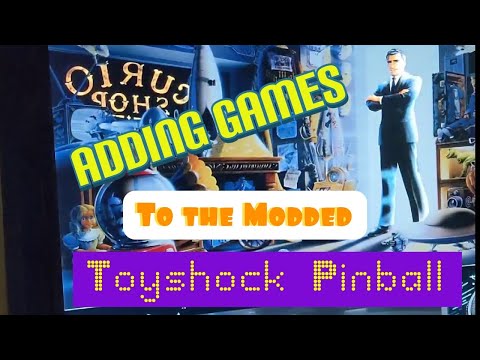
Find and install a pinball table for VPX cabinet builds or desktop installs with PinballX.

A community setup tutorial covering PinballX configuration.

Additional guidance for playfield, backglass, DMD, topper, and media setup.

Future Pinball configuration guidance for PinballX users.

A follow-up Future Pinball configuration tutorial for PinballX users.
Setup notes
LAV Filters are recommended for video playback. PinballX benefits from a multi-core CPU, with quad-core hardware recommended when driving multiple cabinet displays. It also runs on standard Windows desktop PCs.
PinballX is free for personal use. Commercial use requires permission before bundling, selling, or including PinballX with products.
Contact and support options